 OGImg
Canonical URLs and og:url: Keep Them Consistent
Why the canonical link, og:url and the sitemap should all name the same address, how tracking parameters and trailing slashes create duplicates, and how Next.js sets them.
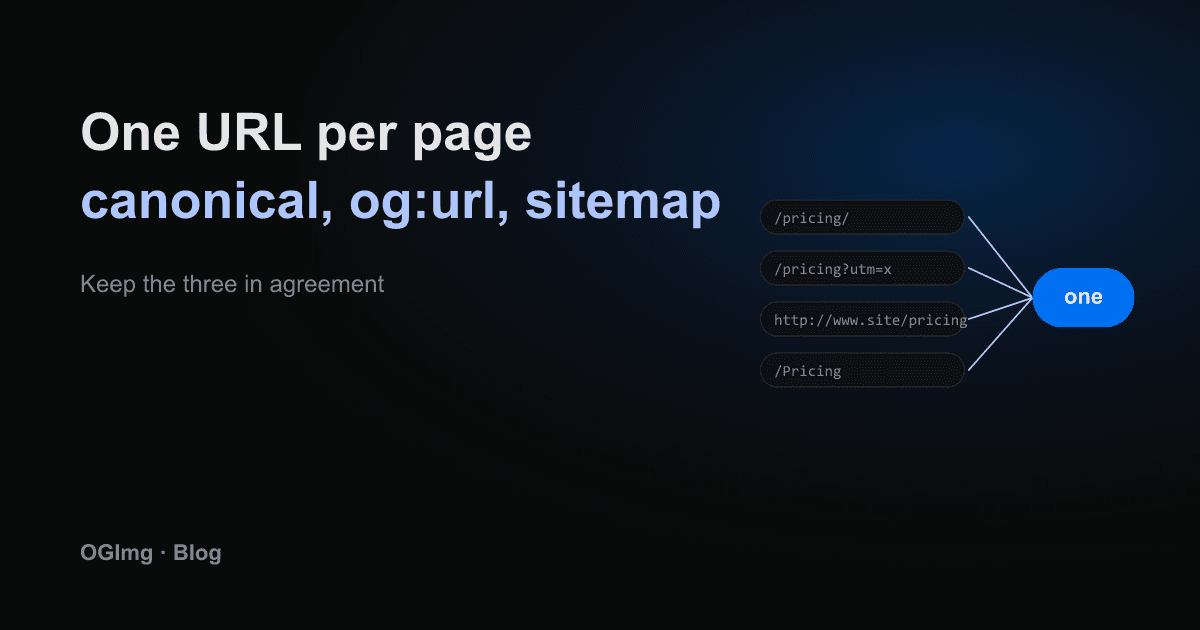
A single page can be reached through many addresses: with and without a trailing slash, with http and https, with www and without, with a utm_source parameter from a newsletter, or with a session parameter that an old link added. Search engines and social platforms have to decide which of these is the real one. A canonical URL tells them.
Three places that must agree
- The canonical link: a link rel="canonical" tag in the head that names the preferred address.
- The og:url tag: the address social platforms use as the identity of the shared page.
- The sitemap: the list of URLs you want indexed. It should contain only canonical addresses.
When the three disagree, the platform has to pick one, and the result is split history. Shares of the www version do not count toward the bare-domain version, and the preview cache is keyed by a URL that may never be shared again.
Build them from one base
The simplest reliable setup is one constant for the site origin and one helper that joins the path to it. Every canonical, og:url and sitemap entry goes through that helper, so they cannot drift apart.
Decide on the trailing slash
Pick one form and redirect the other to it. /pricing and /pricing/ are different addresses to a crawler, so leaving both reachable splits the page. The same goes for http versus https and the www prefix. Set the redirect at the hosting layer so every request is covered, not only the ones your code handles.
Tracking parameters
Parameters such as utm_source or fbclid should never appear in the canonical tag. The canonical is the page itself, not the page as someone reached it. Your build should output the same canonical for every variant of the URL.
A quick audit: open five pages, list the canonical, og:url and sitemap entry for each, and confirm they match character for character. If one differs by a slash or a scheme, fix it before anything else.